


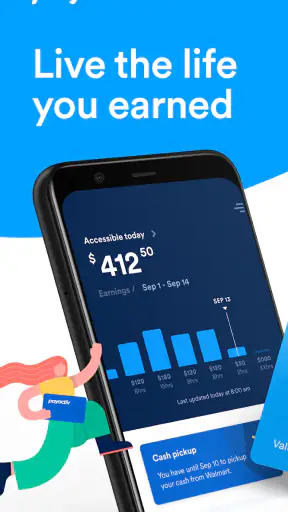
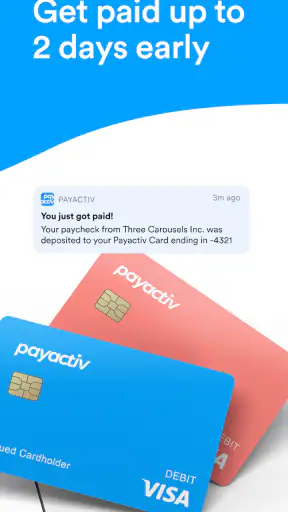
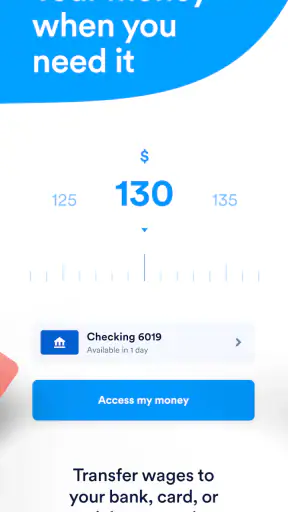
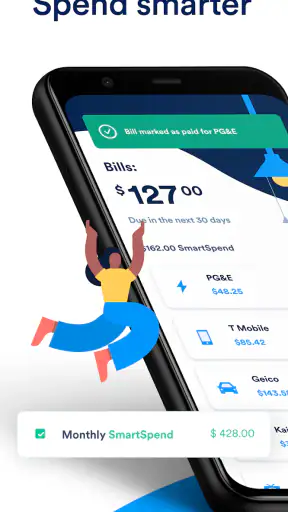
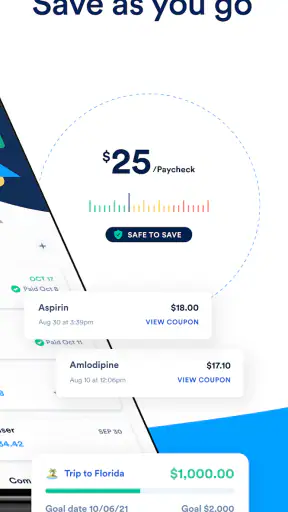
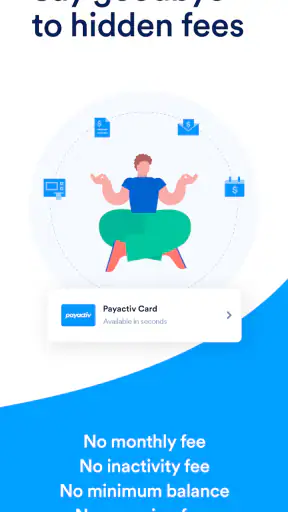
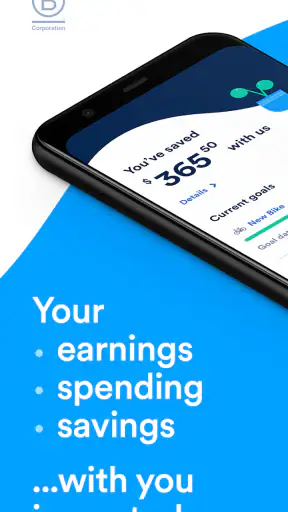
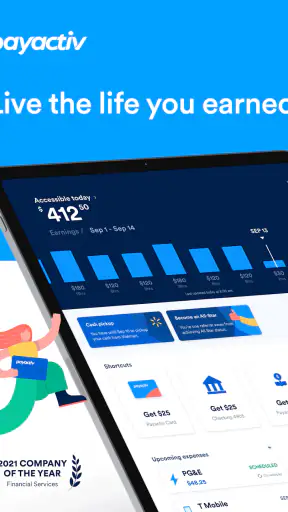
Payactiv is a finance app built around a very specific problem: waiting for payday can be difficult even when you have already earned part of your wages. I approached it less like a general budgeting tool and more like a bridge between work income and everyday expenses. That distinction matters, because the app is most useful when your employer and payroll arrangement support its services. It is not a universal replacement for a bank account, a full budgeting system, or a long-term debt solution.
The app is free to download and is rated for Everyone, which makes the first step feel approachable. It comes from On-demand pay and beyond, a developer whose product focus is reflected in the way the app centers on earned wages and financial wellness rather than investing or trading. Its public store presence is substantial, with over a million installs, an average rating of 4.4, and around forty-five thousand ratings. Those numbers do not prove that every user will have the same experience, but they do show that this is an established finance app rather than an obscure experiment.
How Payactiv earns trust before you use the money features
My first impression is that trust here depends less on flashy design and more on understanding the relationship between the app, your employer, your payroll information, and your bank account. An early-wage-access service naturally deals with sensitive financial moments. You may open it because a bill is due, a car needs fuel, or a household expense arrived before your normal payday. In those situations, a clear explanation of what you can access and when you can receive it is more important than decorative features.
I would therefore treat the sign-up process as a verification step, not a formality. Before connecting anything, I would read each screen carefully, check which employer or workplace is being selected, and make sure the personal details match payroll records. A mismatch can create unnecessary friction later. It is also sensible to use an email address and phone number you actively control, because account recovery and notices matter much more when the app is connected to earned income.
The app’s store identity is unusually clear: Payactiv is presented as a finance app for accessing earned wages early and working toward financial wellness goals. That gives me a better sense of its intended use than a broad label such as “money manager.” If you are looking for stock research, credit-building tools, or a traditional checking account, this is probably the wrong starting point. If your main concern is timing between completed work and the regular payroll date, the purpose is much easier to understand.
One practical trust test is whether you can explain the transaction to yourself before confirming it. I would want to know the amount being accessed, the expected delivery method, and how the transaction relates to the eventual paycheck. If a screen feels rushed or unclear, I would stop rather than tapping through because I needed money quickly. Financial urgency is exactly when a user should slow down and inspect the choices.
What I would check during setup
I would begin by confirming that my workplace is supported and that the app recognizes my employment information correctly. This is not just administrative housekeeping. Earned-wage access depends on accurate work and payroll data, so the usefulness of the app can vary significantly from one employer arrangement to another. Two people can install the same app and see different practical results because their workplace systems are not identical.
Next, I would review every permission or connection request in plain language. I would not approve access merely because the request appears during onboarding. Instead, I would ask what the permission enables, whether it is necessary for the feature I want, and whether the app presents a choice. If I do not understand a request, I would look for the relevant explanation inside the app or its privacy and account screens before continuing.
Finally, I would make a small personal plan for repayment through the normal payroll cycle. Even when the money represents wages already earned, receiving it early can leave less available on the usual payday. I would write down the amount I took, the reason for taking it, and the expected effect on my next paycheck. That simple habit turns the feature into a timing tool instead of an invisible recurring patch for a budget that does not balance.
Account controls matter more than the first transfer
For a finance app, I care about what happens after the initial setup. Can I review connected information? Can I change an account used for delivery? Can I stop using early access without closing everything? Can I recognize which activity belongs to Payactiv and which belongs to my employer or bank? These are the questions I would keep in mind while navigating the account area.
I would also avoid sharing login details with anyone, including a person offering to “help” speed up access. A legitimate account workflow should not require me to hand over passwords or security codes. If another person needs visibility for household budgeting, I would use whatever official account-sharing or statement options are available rather than creating an informal workaround.
Notifications deserve attention too. A message about a transfer, account change, or payroll connection can be useful, but repeated alerts can become background noise. I would keep financial transaction notifications enabled while reducing anything nonessential. That preserves the alerts most likely to reveal an unexpected action without making the app feel intrusive.
Where the app is useful, and where caution is essential
The most realistic use case is a short gap between an earned wage and a necessary expense. Imagine that I have completed enough work to cover a utility bill, but the bill is due several days before my normal payday. If Payactiv shows that the relevant wages are available and the delivery details are clear, I can consider accessing only what the bill requires rather than taking the maximum amount. I would then keep the next paycheck in mind and avoid treating the available balance as extra income.
That “only what I need” approach is one of the most important habits with this type of app. The psychological risk is easy to miss: seeing earned wages available can make the money feel separate from the paycheck that will arrive later. It is not separate income. It is a change in timing. I would use the app for a defined expense, record the amount, and close the decision rather than checking the available balance repeatedly.
A second useful situation is smoothing an irregular work schedule. Someone whose hours vary may have earned money but still face a fixed payment date. Early access can reduce the need to delay a small essential purchase or rely on a credit card for a short interval. That can be valuable, but only if the user understands how the early payment affects the next payroll deposit and any other automatic deductions.
A less obvious workflow is using the app as a warning signal about cash-flow habits. If I repeatedly open it because the same type of bill arrives before payday, the problem may not be the timing alone. I might need to move the bill date, build a small buffer, or change the way I divide each paycheck. In that sense, the app can reveal a recurring pattern, but it cannot solve the underlying budget by itself.
Data-sensitive moments deserve a slower review
The most sensitive moments are connection, verification, transfer, and account changes. During connection, I would check that I am linking the intended workplace or financial destination. During verification, I would read why information is being requested instead of assuming every field is optional or harmless. During a transfer, I would confirm the amount and delivery choice. During an account change, I would look for signs that the destination or contact details have actually been updated.
I would also be careful when using the app on a shared phone. A device may display notifications, saved email addresses, or account previews to another person. I would use a screen lock, avoid leaving the account open, and review whether notification text reveals more than I want visible on the lock screen. These are ordinary phone precautions, but they are especially important when an app relates to wages.
Another good practice is separating urgency from permission decisions. If I need money immediately, I may be tempted to accept every request just to reach the transfer screen. I would instead pause and distinguish between information needed for the specific transaction and information requested for broader account operation. The app should be judged not only by whether it gets money moving, but also by whether its choices are understandable while I am under pressure.
I would keep an eye on the account after using the service, especially around the next regular payday. I would compare the expected payroll result with my own notes and check for anything I do not recognize. This is not an accusation against the app; it is a sensible habit whenever earned income is accessed through an additional financial service. If something looks wrong, the sooner I notice it, the easier it should be to identify whether the issue involves payroll, the app, or the receiving account.
Comparing Payactiv with familiar alternatives
Compared with waiting for a conventional paycheck, the appeal is obvious: the app may help address a timing problem before the scheduled payday. Compared with a credit card, the money is tied to wages already earned rather than a revolving credit limit, but that does not make the decision consequence-free. The next paycheck can still be smaller or feel tighter because part of the income arrived earlier.
Compared with a bank overdraft or a payday loan, early wage access may appear more closely connected to employment and less like borrowing against a separate credit product. Still, I would not assume that every delivery method, employer arrangement, or transaction choice has identical consequences. I would inspect the confirmation screen and any applicable explanation before choosing a method. The right comparison is not simply “free versus expensive”; it is also “clear and manageable versus difficult to track.”
Compared with a budgeting app, Payactiv serves a different job. A budgeting app can help me plan categories, monitor spending, and build a longer-term picture. Payactiv is more directly concerned with access to earned wages and financial wellness goals. I would use a budgeting tool alongside it if I needed a complete view of rent, food, subscriptions, savings, and debt. Using Payactiv alone would not tell me whether my monthly spending plan is sustainable.
Compared with asking an employer for a payroll advance, the app may offer a more structured digital route, but the employer connection remains central. If my workplace does not support the relevant service or my payroll information is not recognized, the app may be less useful than simply discussing a payment-timing issue with payroll. That is an important reason not to install it expecting universal access.
Who should use it, and who should skip it
I think Payactiv is worth considering for an employed person who occasionally faces a short cash-flow gap, has a supported workplace arrangement, and is comfortable tracking what arrives early versus what remains for the regular payday. It can also suit someone who wants a direct way to think about earned income timing rather than immediately turning to a credit card or overdraft.
I would be more cautious if I already struggle to track automatic payments or regularly spend the full amount of each paycheck. In that situation, early access could make the next payday harder to manage. I would first create a basic bill calendar and decide how much of each paycheck is genuinely available. The app should support a plan, not replace one.
I would skip it if I am looking for investing, detailed expense categorization, a full banking relationship, or a solution to persistent debt. I would also look elsewhere if I am uncomfortable connecting employment or financial information through an additional service. Personal comfort with account connections is a legitimate deciding factor; convenience is not worth ignoring a boundary that matters to me.
What the current app details tell me
The app has been available since June 2014, and its current version is 2.2.8. It supports operating system version 10 or later, so I would check my phone before planning around it. The free price lowers the barrier to trying it, but I would still evaluate each transaction or delivery choice on its own terms rather than assuming “free download” means every possible use has the same cost or conditions.
The rating profile is encouraging without being a guarantee. Around nine thousand reviews sit behind the public listing, and the average of 4.4 suggests that many users find value in the service. I would read recent comments with a specific purpose: looking for experiences involving employer connection, account verification, delivery timing, and support responsiveness. Those details are more useful to me than a general statement that the app is easy or difficult.
I also like that the age rating is Everyone, but I would not confuse that with financial simplicity. A broadly accessible app can still involve decisions that require adult judgment, especially when wages, payroll timing, and account destinations are involved. The interface may be approachable, yet the consequences of using early access deserve careful attention.
My cautious verdict after looking at the whole experience
Payactiv makes the most sense as a controlled cash-flow tool. Its strength is the focused connection between earned wages and the moment when a user needs them. I can imagine recommending it to a friend who has a supported employer, a specific short-term expense, and a clear plan for the following paycheck. I would tell that friend to access the smallest useful amount, inspect every confirmation, and keep a record until the normal payroll cycle is complete.
My reservation is not that the concept is confusing; it is that convenience can quietly become routine. If I use early access for the same shortfall every pay period, the app is showing me a structural budget problem rather than fixing it. In that case, a conversation with payroll, a bill-date adjustment, a spending review, or a proper emergency fund would be a better long-term direction.
My bottom line: use Payactiv for timing, not for pretending a paycheck is larger than it is. The app is free, established, and clearly aimed at a real financial need, but trust comes from deliberate choices: understanding the employer connection, reviewing sensitive account moments, protecting access to the phone, and checking the next payroll result. With those habits, it can be a practical option for occasional gaps. Without them, the same convenience may make income harder to track than it needs to be.


